The applicant is the person on the ID
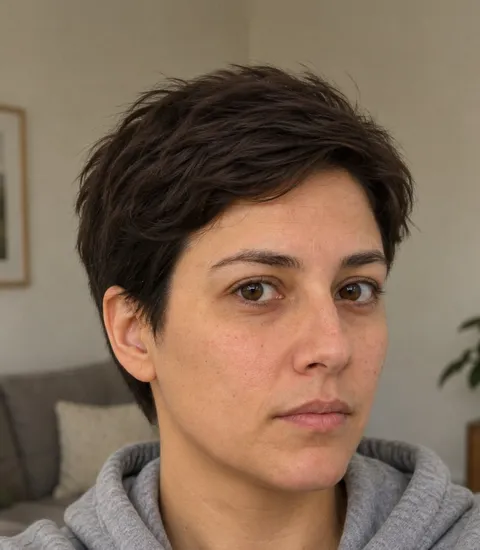
The applicant photographs their government ID, front and back, and takes three selfies. The report prints them all, matches the face to the ID photo, confirms the selfie is live, and checks the name on the ID against the application and the bank account.
Applicant Identity
We scan IDs from 180 countries, verifying multi-angle selfies and personal details. This deep check ensures authenticity, prevents fraud, and provides landlords with confidence in the applicant's identity.
Identification Details
- Name
- Jordan Alex Sample
- Phone
- 416-555-0142
- applicant@example.com
- Address
- 123 Sample Street, Newmarket, ON L3Y 0A1
- Id Type: dl
- S1***-****-***12
Verifications
- Selfie Liveness CheckPassed
- Face MatchPassed
- Name/ID MatchPassed
- Bank Name/ID NamePassed
Selfie Checks
- Selfie Liveness CheckPassed
- Selfie Pose DetectionPassed
- Selfie Multiple Faces DetectionPassed
- Selfie Pose Repeat DetectionPassed
- Selfie Suspicious Entity DetectionPassed
- Selfie Public Figure DetectionPassed
Specimen report. Fictional applicant.
What you see in the report
Read from the card: photo, name, address, number
Both sides captured
Identification Details
- Name
- Jordan Alex Sample
- Phone
- 416-555-0142
- applicant@example.com
- Address
- 123 Sample Street, Newmarket, ON L3Y 0A1
- Id Type: dl
- S1***-****-***12
Application, matches the ID
Application
Application
Application, matches the ID
Read from the ID front
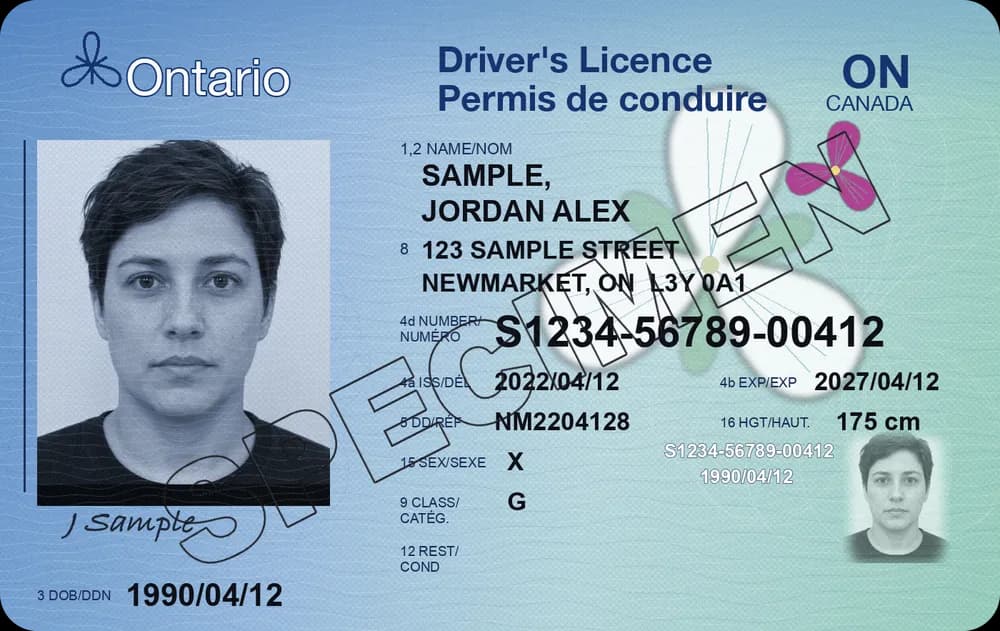
01 ID Front
The photo side of the applicant's government ID, as they captured it. It is the same card you would ask to see at a showing, printed in the report so you can read the name and look at the photo yourself. The photo, name, address and number are what the checks read from it.
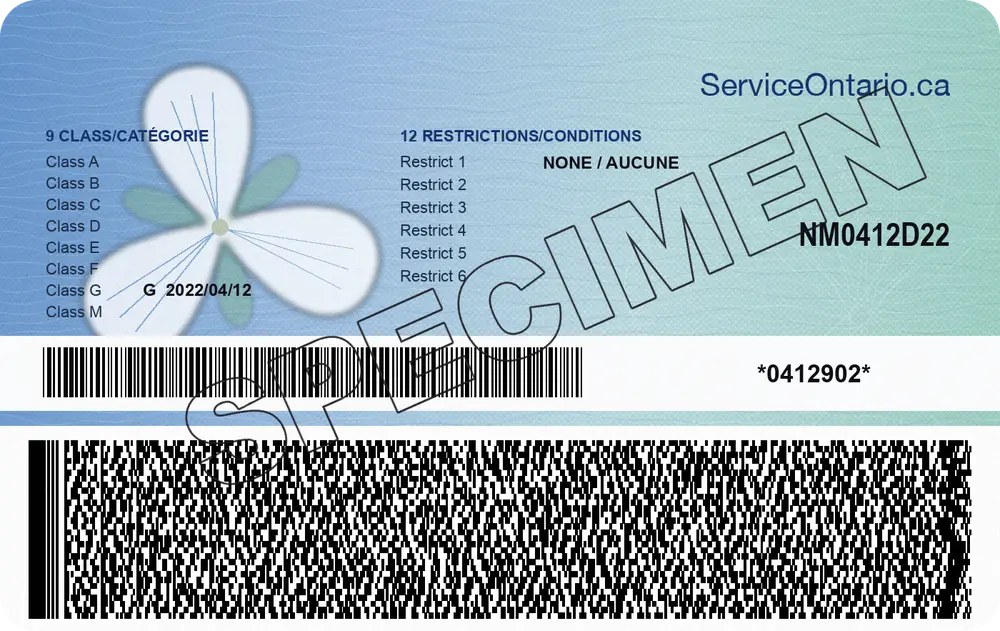
02 ID Back
The reverse of the card, captured as a separate photo. Having both sides means the applicant had the card in hand, not just a picture of its front.
03 Identification Details
The name, phone, email and address on the application, printed beside the ID. Check that the person on the card is the person filling in the form.
04 Id Type
The kind of document used (dl is a driver's licence) and its number. The same number appears, masked, in the applicant's information on page one.
- 35° LLive
left
- 0°Live
centre
- 35° RLive
right
Verifications
- Selfie Liveness CheckThree captures from a live cameraPassed
- Face MatchCentre selfie against the ID photoPassed
- Name/ID MatchName entered against the name on the IDPassed
- Bank Name/ID NameAccount holder against the name on the IDPassed
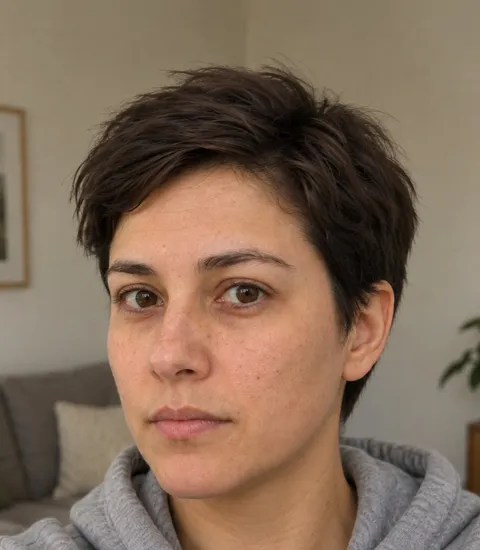
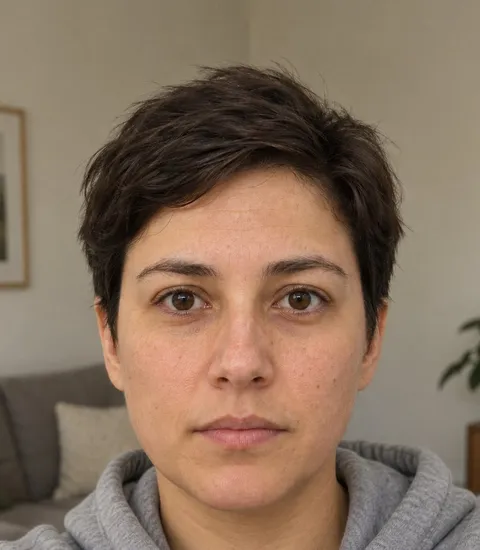
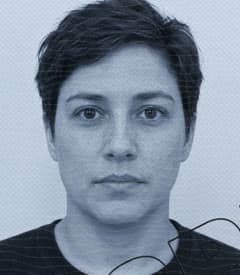
05 Selfie (Left), (Centre), (Right)
Three selfies taken in the application with the head turned left, straight on and turned right. They are printed in the report so you can look at them next to the ID.
06 Selfie Liveness Check
Whether the selfies came from a live person in front of the camera, rather than a photo of a photo or a picture on a screen.
07 Face Match
The centre selfie compared against the photo on the ID. Passed means the person who took the selfie is the person on the card; this specimen matches at 97%.
08 Name/ID Match
The name the applicant entered compared against the name printed on the ID. A Mismatch here is worth a question before anything else.
09 Bank Name/ID Name
The name on the connected bank account compared against the name on the ID. It ties the income on page two to the same person. Married names and joint accounts can show as Mismatch; ask.
Selfie Checks
6 of 6 passed- LiveSelfie Liveness CheckPassed
A live person in front of the camera, not a print or a screen
- 1 faceSelfie Multiple Faces DetectionPassed
One face in each of the three frames
- Edges clearSelfie Suspicious Entity DetectionPassed
Frame edges and background scanned for a phone, a print or a mask
35° L
0°
35° R
Selfie Pose DetectionPassedEach selfie shows the pose asked for: left, centre, right
left
≠centre
≠right
Selfie Pose Repeat DetectionPassedThree different pictures, no pose or image used twice
- No matchSelfie Public Figure DetectionPassed
Compared against public figures; no match found
10 Selfie Multiple Faces Detection
Flags a selfie with more than one face in it, so a second person in the frame can't stand in for the applicant.
11 Selfie Suspicious Entity Detection
Checks the selfie for anything in the frame that looks staged rather than a person in front of the camera.
12 Selfie Pose Detection
Confirms each selfie shows the pose that was asked for: left, centre and right.
13 Selfie Pose Repeat Detection
Flags a set where the same pose or the same image turns up twice, which is what reusing one picture three times looks like.
14 Selfie Public Figure Detection
Flags a selfie that matches a public figure, so a celebrity photo pulled from the internet doesn't pass as the applicant.
How it works
The applicant photographs their ID
Front first, then the back, each inside a frame on their phone's camera. Both sides go into the report as captured.
Government ID
CapturedFront
Back
They take three selfies
Head turned left, straight on, then turned right. The three angles are what the liveness and pose checks read.
Selfie · three angles
left
centre
right
The face is matched to the ID
The selfie is compared against the photo on the ID, and the selfie checks run on all three pictures.
Face Match
PassedID photo
Selfie
The name is checked across the file
The name on the ID is compared with the name on the application and the name on the connected bank account.
Name on file
- Application
- Jordan Alex Sample
- ID
- SAMPLE, JORDAN ALEX
- Bank account
- Jordan Alex Sample
Bank Name/ID NamePassed
What it catches
A borrowed ID
Someone applying with a friend's or a relative's licence can't take that person's selfie. The face on the camera doesn't match the face on the card.
In the reportFace Match
A photo of a screen
Holding a phone or a printed picture up to the camera instead of taking a real selfie fails the check for a live person.
In the reportSelfie Liveness Check
A name that differs between the ID and the bank
Income from an account in someone else's name shows as a Mismatch, so you know the pay on page two may not be the applicant's.
In the reportBank Name/ID Name
One picture used three times
Three angles are asked for. The same image, or the same pose, repeated across the set is flagged.
In the reportSelfie Pose Repeat Detection
Someone else in the frame
A second face in the selfie is flagged, so a helper can't stand in for the applicant.
In the reportSelfie Multiple Faces Detection
A famous face
A selfie that matches a public figure is flagged, which catches pictures lifted from the internet.
In the reportSelfie Public Figure Detection
What the applicant experiences
- ID · 1 of 2Identity
Front of your ID
Place your government ID inside the frame.
Secure uploadTake photoID · 2 of 2IdentityBack of your ID
Turn the card over and capture the back.
- FrontCaptured
- BackCaptured
Photograph the ID, front and back
The applicant places their government ID inside the frame and takes a photo of each side. Both are captured before they move on.
- SelfieIdentity
Take three selfies
Turn your head left, look straight ahead, then turn right.
- Left
- Centre
- Right
Secure uploadCaptureTake three selfies
They turn their head left, look straight ahead, then turn right, following the guide on screen.
FAQ
Questions about identity
Photograph the front and back of their government ID, then take three selfies: head turned left, looking straight ahead, and turned right. It is one step of the application, on their phone.
A government ID such as a driver's licence. The report scans IDs from 180 countries, and the Id Type line in Identification Details names the document that was used.
Yes. The identity page prints the front and back of the ID and all three selfies, beside the name, phone, email and address read from the application and the ID type and number.
The two things compared didn't agree, for example the name on the ID and the name on the bank account. It isn't a verdict on its own. A married name or a joint account can explain it, so ask the applicant.
The left, centre and right poses are what the pose checks read. A person turning their head in front of the camera gives three different angles; a photo held up to the camera can't.
A verified identity on every application
Start a screening, or book a walkthrough of the full report.